 Bitcoin
  Ethereum
  Tether
  BNB
BNB  XRP
XRP  USDC
USDC  Solana
  TRON
TRON  Lido Staked Ether
  Figure Heloc
  Dogecoin
  USDS
USDS  WhiteBIT Coin
  Bitcoin Cash
  LEO Token
  Wrapped stETH
  Cardano
  Hyperliquid
  Wrapped Bitcoin
  Chainlink
  Binance Bridged USDT (BNB Smart Chain)
  Monero
  Wrapped Beacon ETH
  Ethena USDe
  Canton
  Stellar
  Wrapped eETH
  USD1
USD1  Dai
Dai  sUSDS
sUSDS  MemeCore
  Litecoin
  PayPal USD
  Coinbase Wrapped BTC
  Avalanche
  Zcash
Zcash  Rain
Rain  WETH
WETH  Hedera
  Shiba Inu
  Sui
Sui  USDT0
USDT0  Toncoin
  Cronos
  Bittensor
  World Liberty Financial
  Circle USYC
  Tether Gold
  PAX Gold
  Ethena Staked USDe
 How to Create a Secure Solana Wallet Without an Exchange (2026 Updated Guide)
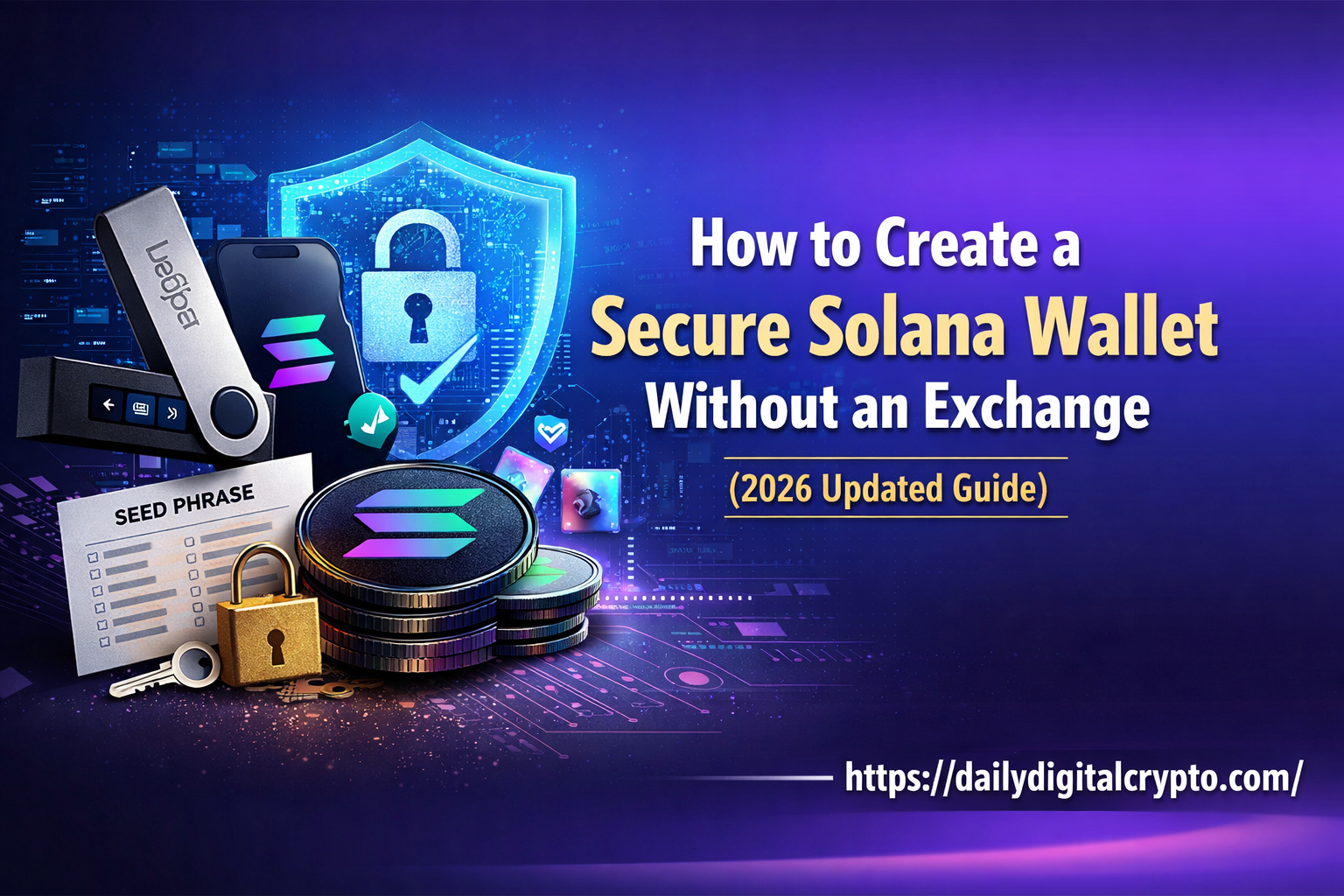
If you want to keep your Solana (SOL) safe, you should use a non-custodial wallet. Many beginners store tokens on exchanges, but this can be risky. Exchanges can be hacked, and accounts may get frozen. Using a non-custodial wallet gives you full control over your funds. Your private key protection and seed phrase backup ensure your tokens stay secure. You can also manage NFTs using NFT wallet management and earn Solana staking rewards. This guide shows a wallet creation process step-by-step, including connecting to Solana Mainnet Beta, setting up hardware wallet integration, and following cryptocurrency wallet security tips to protect your assets.
Also Read: Stock Exchange vs Stock Market
Table of Contents
Choose a Trusted Wallet
Choosing a reliable wallet is the first step. Popular options include Phantom, Solflare, and Slope Wallet. These wallets offer strong Solana blockchain wallet security. You can use a browser extension wallet setup or a mobile wallet setup for Solana.
Always download wallets from official wallet download sources. This protects you from phishing scams and wallet phishing protection issues. A trusted wallet allows secure private key storage and supports cold storage wallet options for long-term safety.
Create Your Non-Custodial Wallet
Open your wallet app or browser extension and choose create new wallet. The wallet will generate a wallet recovery phrase. Write down your seed phrase backup carefully and store it offline. Do not save it on your phone or computer.
Follow wallet backup best practices by keeping multiple secure copies. A hardware security key (optional) adds extra protection. These steps ensure your wallet can be restored even if your device is lost or damaged.
Protect Your Wallet
Security is crucial. Enable biometric authentication for wallets if your app supports it. This adds a layer of protection beyond a password. Always maintain private key protection to keep your funds safe.
Using hardware wallet integration is highly recommended. Hardware devices store keys offline in a cold storage wallet. Combining software and hardware wallets ensures secure private key storage. Avoid public Wi-Fi when accessing your wallet and follow wallet security maintenance regularly.
Connect to Solana Mainnet Beta
Next, connect your wallet to the Solana Mainnet Beta connection. This allows you to send and receive SOL tokens safely. Always receive SOL tokens securely by sharing your correct public address.
Avoid public Wi-Fi to prevent hacking risks. Keeping your wallet updated and following cryptocurrency wallet security tips ensures safe transactions and long-term security.
Backup Your Wallet Safely
Backing up your wallet is essential. Your seed phrase backup is the only way to restore your wallet. Write it down on paper or metal. After writing it, do a verification of seed phrase to make sure it is correct.
Using a hardware security key (optional) is an added safety measure. Following these steps ensures the benefits of non-custodial custody such as full control, privacy, and security over your Solana tokens.
Manage NFTs and Staking Safely
Your wallet can also handle NFTs. Use your wallet for NFT wallet management and only interact with trusted apps. You can stake SOL tokens to earn Solana staking rewards.
Always double-check addresses before sending tokens. Proper secure crypto wallet setup protects you from mistakes and scams. A non-custodial wallet allows full access to DeFi platforms and NFT marketplaces safely.
Security Tips for Solana Wallets
Here are key cryptocurrency wallet security tips to follow:
| Tip | Explanation |
| Private key protection | Never share your key or seed phrase. |
| Seed phrase backup | Store multiple copies offline. |
| Avoid public Wi-Fi for wallet access | Protects against hackers. |
| Phishing scams and wallet phishing protection | Always verify official URLs. |
| Hardware wallet integration | Store large balances in a cold storage wallet. |
| Wallet security maintenance | Keep wallet software updated. |
| Biometric authentication for wallets | Extra layer of protection for mobile wallets. |
Step-by-Step Solana Wallet Setup
Follow these steps for a secure wallet:
- Download the wallet from official wallet download sources.
- Open the app for browser extension wallet setup or mobile wallet setup for Solana.
- Create a wallet and write the wallet recovery phrase offline.
- Verify your seed phrase backup.
- Connect to Solana Mainnet Beta connection.
- Enable biometric authentication for wallets.
- Optionally, use hardware wallet integration for extra protection.
This process ensures strong Solana blockchain wallet security and a safe, secure crypto wallet setup.
Send and Receive SOL Safely
To receive SOL, share your public address carefully. Transactions are irreversible. Check addresses twice before sending.
Use cold storage wallet and a hardware security key (optional) for large balances. Maintain wallet security maintenance to monitor activity. Following these steps ensures your assets are safe from hacks.
Why Non-Custodial Wallets Are Best
A non-custodial wallet gives you full control over your private key protection. Your seed phrase backup ensures you can restore your wallet anytime. Manage NFTs and earn Solana staking rewards safely.
The benefits of non-custodial custody include security, privacy, and freedom. You are not reliant on exchanges and can safely access DeFi apps and NFT marketplaces.
FAQs: Create a Secure Solana Wallet
Can I create a wallet without an exchange?
Yes, a non-custodial wallet allows full setup without an exchange.
How do I backup my wallet?
Write your wallet recovery phrase and seed phrase backup offline. Follow wallet backup best practices.
Can I stake SOL in my wallet?
Yes, delegating tokens gives Solana staking rewards safely.
Is NFT management safe in my wallet?
Yes, using NFT wallet management and wallet security maintenance ensures safety.
How do I secure my private keys?
Enable biometric authentication for wallets and use hardware wallet integration for maximum private key protection.
Conclusion
Creating a secure Solana wallet without an exchange is simple and safe. Use a non-custodial wallet, follow cryptocurrency wallet security tips, and enable biometric authentication for wallets. Back up your seed phrase backup, connect to the Solana Mainnet Beta connection, manage NFTs, and earn Solana staking rewards. Take control of your crypto today and protect your tokens from hacks and phishing scams.